Where to place water leak sensors depends on where escaping water can actually reach their sensing contacts. Start under sinks, beside water-using appliances, and near accessible water-heater or toilet connections. Prioritize concealed leaks and rooms you seldom check. Follow each detector’s mounting instructions, and test both detection and notifications in its final location.
A sensor cannot protect a room simply by being somewhere inside it. A cabinet divider, raised threshold, drip pan, or sloped floor can keep water away from the contacts. The useful planning question is: if this connection leaks, where will the water go first?
Already seeing water where it should not be? Use the visible-leak troubleshooting guide; adding a sensor is not a repair.
Know what your device actually detects
The EPA distinguishes moisture detection from flow monitoring. A moisture sensor responds to water at its sensing area; a flow monitor looks for unusual water-use patterns. These approaches answer different questions and can complement one another.
A floor sensor usually will not detect a toilet losing water silently into its bowl because the floor stays dry. Use a toilet dye test for that situation. Likewise, an alert does not identify which pipe or appliance failed. It tells you where to investigate safely.
Where to place water leak sensors: start with a room-by-room map
| Location | Placement check |
|---|---|
| Under a sink | Use a dry, accessible cabinet-floor location beneath likely supply or drain leaks; keep contacts unobstructed. |
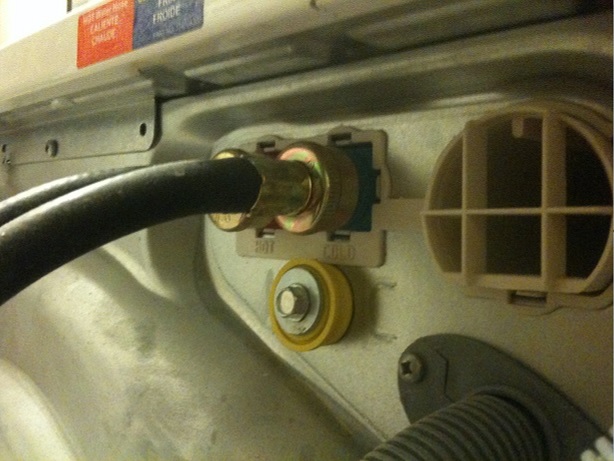
| Laundry area | Consider water paths from the supply and drain. Use a compatible remote probe if a safe location cannot be reached by the main unit. |
| Near a water heater | Follow the sensor instructions for a safe floor or pan location; keep clear of hot parts and equipment controls. |
| Wall-mounted detector body | Confirm whether the body still senses water or requires a connected remote disc/cable. Mounting a wireless body alone may leave no active floor contact. |
For example, Moen’s Flo placement instructions distinguish floor placement from mounting with a remote sensing element. Other products differ. Test each installed location with the manufacturer’s approved method and confirm the sound or phone notification reaches someone who can respond.
Use the table below as a planning worksheet, then check it against the detector manual and the layout of your home. These are placement considerations, not a claim that one sensor covers every listed source.
| Area | Location to evaluate | Potential blind spot |
|---|---|---|
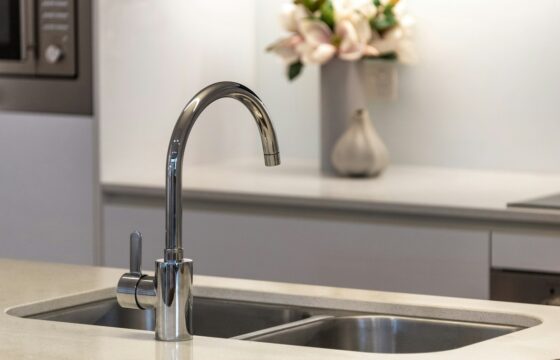
| Kitchen sink cabinet | Accessible cabinet floor below supply and drain connections. | A shelf or storage bin may redirect water away from the sensor. |
| Bathroom vanity | Lowest reachable surface along a likely drip path. | A partition may isolate one side of a double vanity. |
| Laundry area | Accessible floor near washer supply and drain locations. | A leak behind an appliance may drain in a different direction. |
| Water heater area | A safe, accessible location consistent with the equipment and sensor instructions. | A pan and nearby floor are separate collection areas. |
| Toilet area | Floor near accessible supply connections, away from routine splashing. | A leak entirely inside the toilet will not wet the floor; use the separate toilet dye-test guide for a tank-to-bowl check. |
Do not move a heavy appliance alone, reach past electrical equipment, or enter an unsafe crawlspace to install a detector. A remote probe may be useful where access is limited, but only if the model supports it and it can be placed safely.
Check the sensing contacts before choosing a mounting method
Read which part of the device must touch water. The electronics housing may sit above the floor while a separate probe provides detection. Conversely, some standalone units need their underside contacts exposed directly to the surface being monitored.
Moen’s placement instructions provide a useful model-specific example: attaching its mounting base and accessory disables the detector’s rear sensors, so the remote sensing disc or compatible cable must be installed. A wall-mounted housing alone is therefore not equivalent to a working floor sensor. Other brands may operate differently.
Before fastening anything, record the exact model, supported accessory, and intended sensing surface. Do not tape over contacts, cover the unit with stored items, or place it on a towel that changes when water reaches it.
Prioritize a few locations thoughtfully
If you have only two or three detectors, make a short list of locations where you would be slow to notice a leak. Consider an infrequently opened sink cabinet, a laundry space on another floor, or an accessible utility room with previous moisture problems.
This is an editorial prioritization method, not a statistical ranking of which appliance will fail. Score each candidate using three questions: would water be hard to notice, could it affect vulnerable finishes or the room below, and can the sensor detect and report reliably there?
For example, two sink bowls in one open cabinet might share a collection area, while two bowls separated by a raised divider might need separate sensing points. Decide from the actual path, not the number of faucets. Photograph the final placement so another household member can restore it after cleaning.
Test the whole alert path
Follow the manufacturer’s approved test method rather than pouring water around appliances. Confirm the sensor responds, then check the audible alarm and any app notification. Repeat the connectivity check in the final location with cabinet doors closed; pairing beside a router is not proof of reliable operation elsewhere.
| Possible blind spot | What to verify |
|---|---|
| A drip pan holds water above the surrounding floor | Decide whether the active sensing element belongs in the pan, on the floor, or at both locations using the device instructions. |
| A cabinet divider or raised lip separates two plumbing areas | Confirm that water from either side can actually reach the sensor; otherwise a second sensing point may be needed. |
| The detector body is wall-mounted | Verify which probe or cable remains active. A mounted electronics housing is not automatically sensing the floor. |
| The leak could stay inside the appliance or fixture | Recognize the limitation: a floor sensor cannot detect water that never reaches its contacts, such as a silent tank-to-bowl toilet leak. |
Give each device a precise name, such as “Upstairs hall vanity,” rather than “Sensor 2.” Decide who receives alerts and who can investigate when you are away. Review notification permissions, battery warnings, offline alerts, and the manufacturer’s maintenance schedule.
Moen’s setup guide illustrates location-based naming and configurable alerts. Use the instructions for your own model rather than assuming the same app settings apply to every device.
Will alerts still work if Wi-Fi or power fails?
Check three functions separately: water detection at the sensor, a local audible alarm, and a message reaching your phone. A successful local alarm does not establish that a remote notification or linked shutoff will work.
For example, Moen’s Flo Detector offline guidance says app alerts are unavailable when the detector cannot reach Moen’s cloud servers. The separate Flo Shutoff may retain automatic protection for a catastrophic leak while offline, but remote alerts and control are unavailable. This is product-specific guidance, not a guarantee for every detector, connected valve, or loss-of-power situation.
Before relying on the installation while away, record what the manufacturer says continues during an internet outage, what requires power or battery backup, and who can respond locally. After an actual outage or router change, confirm the device is back online and repeat its approved alert test. Do not create a leak, interrupt essential equipment, or operate a shared or fire-protection valve to test coverage.
Copy a placement and alert-test record for each sensor
Use one record per sensing location, including a remote probe where fitted. The worksheet is an editorial planning aid; follow the device manual for the actual detection test and maintenance schedule. A blank or failed result remains an item to resolve.
LEAK SENSOR PLACEMENT AND ALERT TEST
Room and exact location / app nickname: ___
Device model and compatible accessory: ___
Active sensing element: body contacts / remote probe / cable / other
Collection area monitored: cabinet floor / pan / room floor / other
Likely water path and any divider or raised lip: ___
Separate collection area still unmonitored: ___
Placement photo filename: ___

TEST IN THE FINAL LOCATION
Date and manufacturer-approved test method: ___
Detection response confirmed: yes / no
Audible alarm, if provided: confirmed / not confirmed / not provided
Phone alert, if provided: confirmed / not confirmed / not provided
Final-location connectivity checked: yes / no / not applicable
Person receiving alerts and available responder: ___

MAINTENANCE
Battery / offline warning status where supported: ___
Access kept clear and sensing element restored after cleaning: ___
Next check according to the device manual: ___
Unresolved issue or action needed: ___
Do not mark a phone alert or automatic shutoff as verified just because pairing succeeded. Record only functions your system actually provides and checks you completed; arrange any valve integration according to its own instructions.
A detector is not automatically a shutoff system
Check whether the product only sounds an alarm, sends remote alerts, or works with a separate shutoff device. A statement that a sensor is “compatible with automatic shutoff” does not mean the required valve is included or configured.
Whole-home valve installation and integration should be assessed by a licensed plumber, particularly where other systems depend on a continuous water supply. Do not alter a shared building supply, fire-suppression line, or unfamiliar valve as part of installing a simple alarm.
What to do when an alert arrives
Inspect from a safe, dry position. If water is near outlets, electrical equipment, or an uncertain contaminated source, stay clear and arrange qualified help. For an accessible fixture leak, stop using that fixture and operate a known shutoff only if it is safe and you know what it controls. Before an emergency, use our main water shutoff guide to locate and label the household valve.
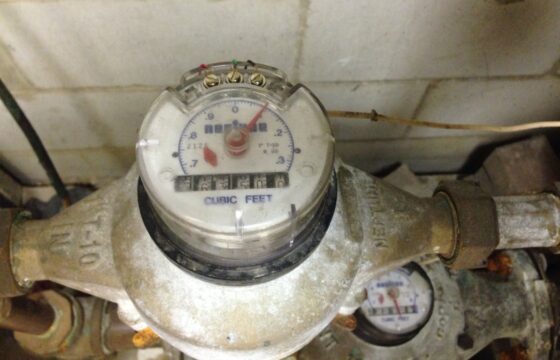
Record the location, time, and visible source if safe. After repair and cleanup, restore the detector and retest it. A dismissed alert is not evidence that the cause has disappeared. For unexplained consumption without visible water, use our water meter leak-check guide.
Choose the leak-detector features you actually need
Start with the location and the person who must receive the warning. Compare functions before comparing brands or the number of devices in a pack.
| Your need | Type to compare | Check before buying |
|---|---|---|
| Someone nearby can respond | Standalone audible moisture alarm | Alarm audibility in the final location, accessible contacts, and battery warnings. |
| Receive a warning while away | Connected moisture detector | Required Wi-Fi or hub, phone compatibility, notification settings, and any paid service. |
| Reach a narrow space or separated wet areas | Detector with a supported probe or sensing cable | Accessory compatibility, what length actually senses water, and whether it is included. |
| Investigate unusual supply-water use | Flow monitor; optional compatible shutoff | Installation requirements and included functions. Monitoring, messaging, and closing a valve are separate capabilities. |
The EPA’s device guide distinguishes moisture detection from flow monitoring. A contact sensor cannot find a leak that never wets its sensing element. These are selection criteria, not comparative product-test results.
Two examples: a local alarm and a connected sensor
Affiliate disclosure: We may earn a commission when you buy through the Amazon links on this page. As an Amazon Associate I earn from qualifying purchases.
These manufacturer-documented examples show how notification requirements affect the equipment you need. Choose the alert method before deciding how many detectors to buy.
On a narrow screen, scroll the table sideways to compare all columns.
| Model and source | Documented features | Check before ordering |
|---|---|---|
| Zircon Leak Alert (standard model) View Zircon NB-2Pk on Amazon (paid link) 2 detectors; batteries not included. | A standalone moisture alarm using a 9V alkaline battery. Check the alarm rating for the exact retail version supplied. | Choose it for an alert someone nearby can hear. This standard model does not send phone notifications. The manufacturer’s basic unit excludes the battery; check the contents of the exact retail pack. |
| Tapo T300 (US version) View Tapo T300 on Amazon (paid link) Check the US version and a compatible Tapo hub for app alerts. | A sensor with a local audible alarm, using two AAA batteries. App features require pairing with a compatible Tapo hub, sold separately. | Match the sensor and hub regional versions and budget for any hub you still need. Follow the T300 alert-setup checks below. This sensor alone does not shut off the water supply. |
Tapo T300: check the alert setup before ordering
- Local sound: TP-Link says the sensor can sound an alarm without app setup. Check that it is powered and not muted; this does not verify a phone notification.
- App and hub: App functions need a paired Tapo hub; another brand of hub is not a substitute. To make the hub sound as well, configure the relevant Smart Action and test it. See the T300 setup FAQ.
- US compatibility: The US H200 compatibility list includes T300 and identifies different radio bands for US/AU and EU/UK hardware. Confirm the regional versions of both devices before combining imported units.
Setup and compatibility sources checked October 14, 2026; these are documentation-based checks, not a test of an installed system.
Specifications checked October 11, 2026. These are documentation-based examples, not hands-on comparisons; we have not measured alarm loudness, detection speed, or wireless range. Test the installed system at each location using the manufacturer’s instructions.
Check temperature limits before choosing a location
Compare the conditions at the actual sensing location with the manufacturer’s operating limits, especially in an unheated garage or a hot utility space.
- Zircon Leak Alert, standard model: the product specifications list an operating range of 20–105°F. Its instructions (PDF) recommend interior use only.
- Tapo T300, US version: the manufacturer datasheet (PDF, page 5) lists 32–104°F (0–40°C). Its IP67 rating does not remove that temperature limit.
If the location falls outside the documented range, choose equipment approved for those conditions or ask the manufacturer about a suitable alternative. These are device operating limits, not a promise to prevent pipes from freezing. Confirm the instructions for the hardware version being supplied.
Operating limits checked October 15, 2026; based on manufacturer documentation, not environmental testing by our team.
Budget for the coverage you need
Compare the total price in USD for detectors, any required hub or probes, replacement batteries, and optional paid services. Keep professional shutoff installation separate from the price of a standalone alarm. Check current manufacturer terms rather than assuming remote alerts are free forever.
Use our home plumbing checklist to identify the locations worth monitoring before you buy equipment.
Frequently asked questions
Can one sensor cover an entire room?
Only water that reaches its active sensing area can trigger a contact sensor. Separate collection areas may need separate probes or devices.
Will it detect a running toilet?
Not if water stays inside the tank and bowl. Investigate the internal leak separately.
Can I hide it behind stored cleaning products?
Avoid placement that blocks contacts, muffles an alarm, or makes maintenance difficult. Leave access and follow the manual’s clearances.
Research-based guidance: our editorial policy. Illustrative laundry photo by PlanetCare on Unsplash; it does not show a tested detector installation.